
Check for update
If you click on the Systray logo and check for an update and you receive the notification "You already have the latest Hiru update," then your Hiru is up to date and you don't have to worry about it.
What version number do I have?
If you are wondering or you are asked about the Hiru firmware version. You can find this information in the log file.
1. Open the File explorer on your Windows device.
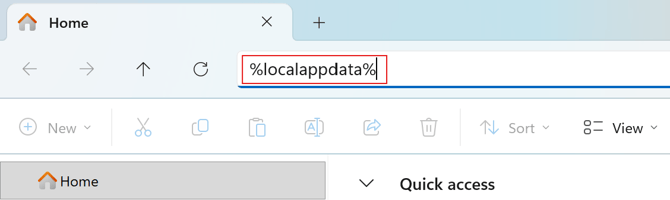
2. In the search bar, search: %localappdata%
3. Click Irisbond, then Systray, and "log_HiruSystray.txt"
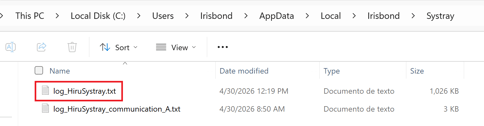
4. Open the Log and find the time the Hiru was updated. The "local version" will be the version on the Hiru at the time stamp. The "Remote version" is the version in the cloud put out by Irisbond. If it is not clear, please just send us the log file (support@irisbond.com), with the approximate time and date that the update was performed.
