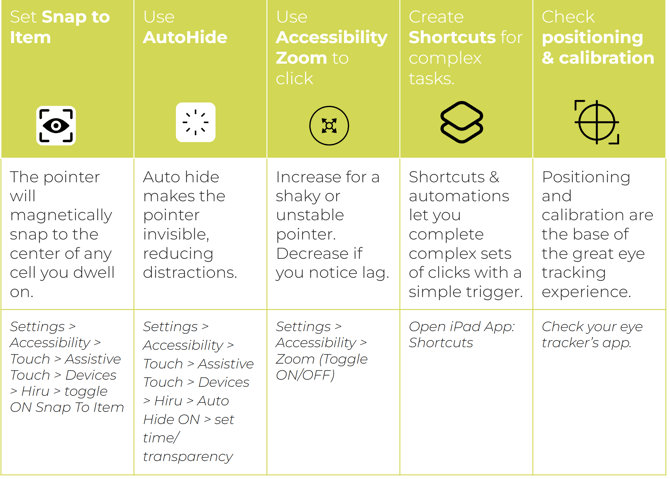
If you have good calibration results (all points in green), but still struggle with accuracy, try the tips below:
.gif?width=209&height=90&name=Keila%20eyes%20(1).gif)
 Check positioning dynamically: Before calibrating, on the positioning screen, have the user look around the screen (to the 4 corners) and check if the green dots on the positioning guide are flickering at any time during this exercise. If they are, try adjusting the positioning before calibrating again.
- Ensure that Apple's Eyetracking is switched off in iPad Settings.
Go to Settings > Accessibility >Eye Tracking>OFF - If you are going to use full iPad control, use a 9 point calibration or more. Again, check the positioning and green dots are solid before starting the calibration.
- Utilize the 1 point calibration to adjust for small changes in positioning as needed. You can even set up a shortcut to jump right to the calibration from anywhere.
- iPad Only: Check these tips for how to increase accuracy on the iPad by adjusting the settings.